By Clipback
The interior designer wants a closer view of the fireplace. The property marketer wants viewers to see the room layout. Both notes refer to the same shot, and both make sense from the reviewer's perspective. Making either change without a decision risks sending a new cut that immediately starts the disagreement again.
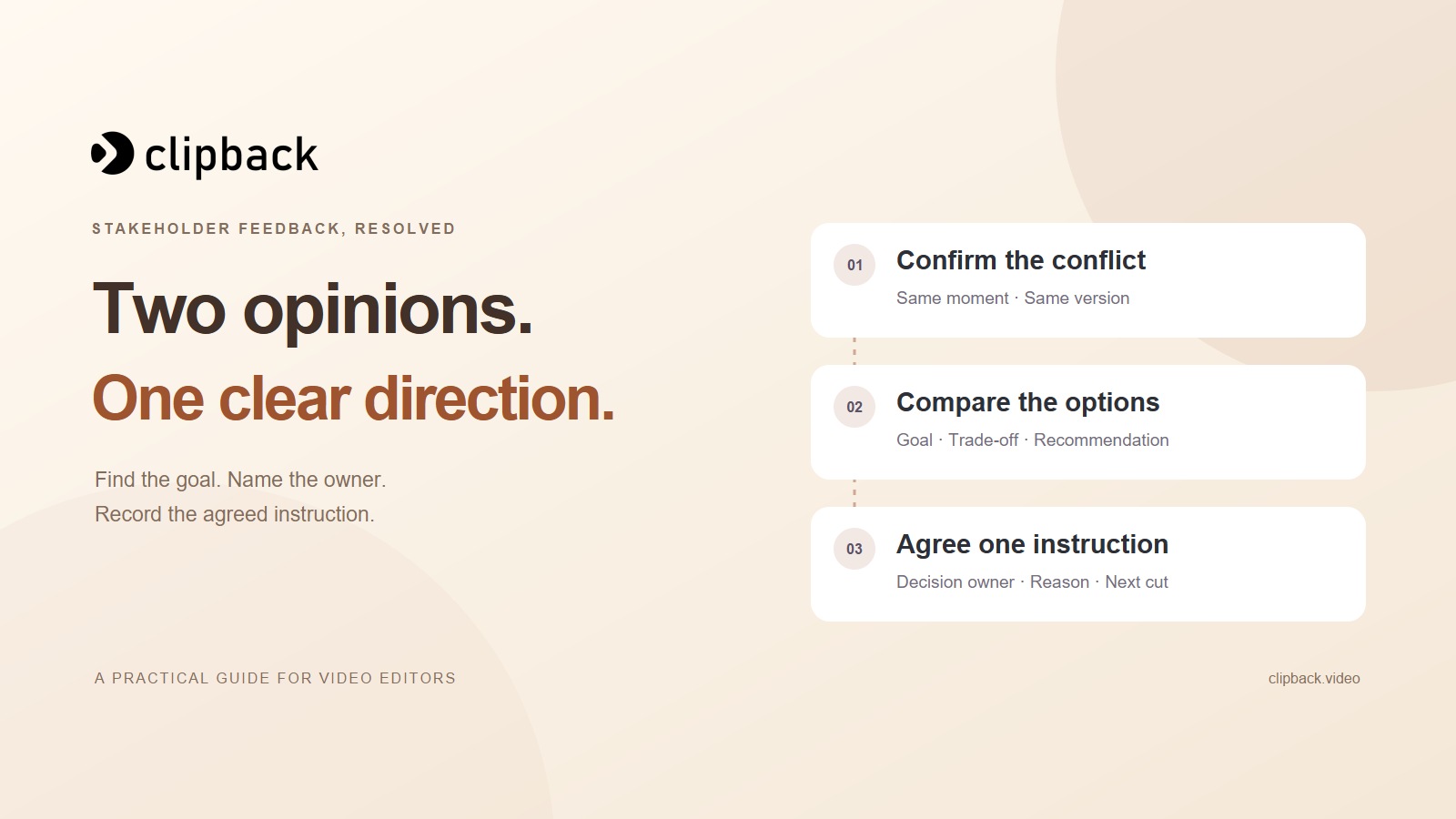
To handle conflicting video feedback from multiple stakeholders, identify the shared moment and version, clarify the goal behind each request, and present the decision to the person the client has agreed will own it. Record one clear instruction before you edit the disputed item.
This guide uses a fictional property video to show the process. It includes a decision log and a client message you can use when two reasonable requests cannot both be the instruction for the same cut.
Download the stakeholder decision log → Includes a conflict-resolution message and a reusable decision record. No signup required.
1. Confirm that the notes really conflict
Put the original notes beside each other with the reviewer, timestamp, and video version. Check the footage before treating the requests as opposites. One person may be referring to a different shot or an older cut.
For the same living room shot at 00:05 in version 1, our two demo reviewers ask for:
- Alex, designer: crop tighter on the fireplace so the fire is the focal point.
- Sam, property: keep the wider living room framing so viewers can see the seating area and room layout.
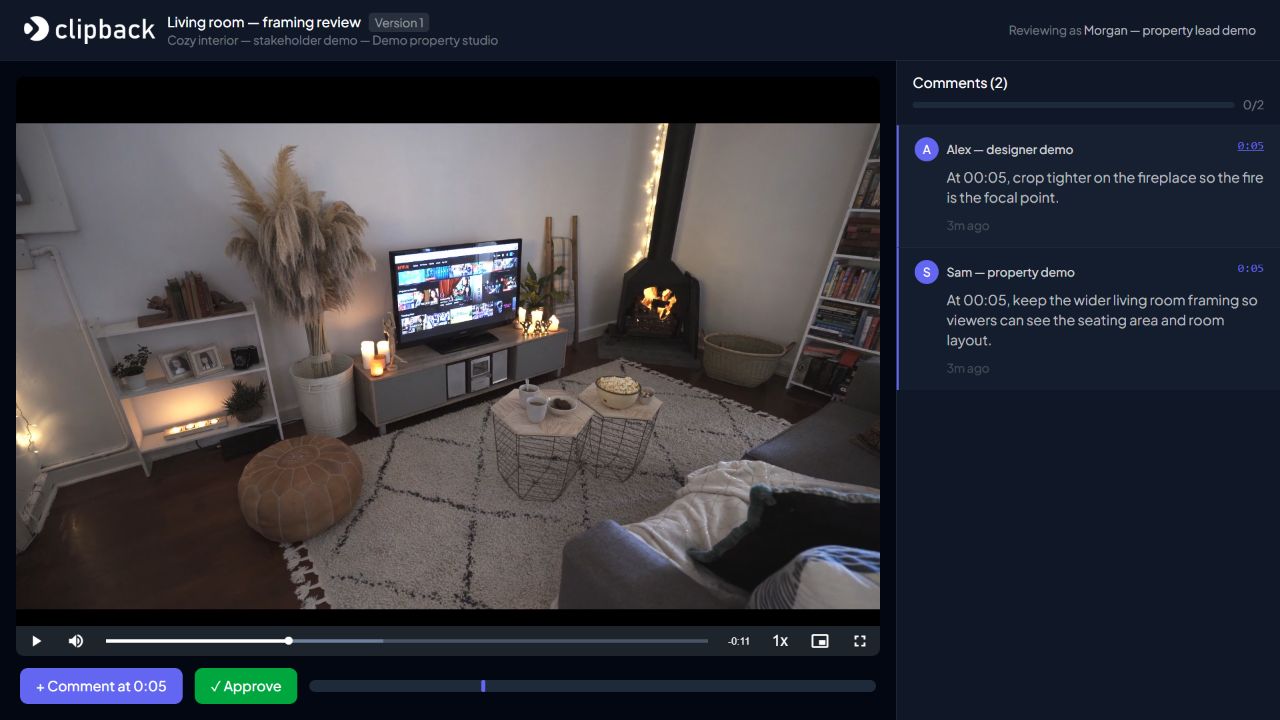
These are competing instructions for the same composition. By contrast, “tighten the crop at 00:05” and “keep the wider opening shot at 00:00” may both be achievable. Confirm the locations before asking the client to choose.
If the notes first arrived through several channels, use the feedback consolidation guide to build one complete list. Here, the task is to resolve a disagreement within that list.
2. Ask what each reviewer is trying to achieve
Translate each requested change into an intended result without discarding the original wording. Alex wants the fireplace to carry the shot. Sam wants the audience to understand the room layout. Those goals give you more to work with than “closer” versus “wider.”
Ask a short question if the goal is unclear: “Which matters more in this shot: emphasizing the fireplace or establishing the living room layout?” Refer back to the agreed brief, audience, and placement. A fireplace detail and a property introduction may reasonably need different compositions.
Avoid solving every disagreement by averaging the requests. A slightly tighter crop might be a useful option, but it can also satisfy neither reviewer. Explain what the compromise would preserve and what it would lose.
3. Separate facts, preferences, and changes to the brief
Different kinds of disagreement need different next steps. Use a small decision table before you start proposing edits:
| Type of issue | Example | Useful next step |
|---|---|---|
| A fact to verify | Two spellings of a product name. | Ask the client for the approved source and apply the confirmed wording. |
| A creative preference | A warmer image versus the current neutral look. | Ask the decision-maker to choose against the visual brief or a reference. |
| Competing communication goals | Fireplace detail versus the full room layout. | Confirm the shot's purpose and explain the trade-off between options. |
| A new deliverable or direction | A different audience needs another cut. | Agree whether to revise this cut or scope an additional version. |
| A missing dependency | Replace a logo, but no approved file is supplied. | Ask for the asset and agree whether the affected work should wait. |
This keeps a factual correction from becoming an aesthetic vote and prevents a request for another deliverable from quietly expanding the existing revision list.
4. Give the decision-maker clear options
Ask the client who will return the agreed instruction. That person can consult stakeholders internally; the editor needs one answer for the disputed item. Seniority, the number of comments, and the order in which they arrived do not replace an agreed decision process.
For the living room shot, you could present these options:
- Option A: tighten the 00:05 crop around the fireplace. The fire becomes more prominent, with less of the room visible.
- Option B: retain the current wider frame. The seating area and room layout remain visible, with a smaller fireplace in the composition.
- Alternative, if required: review whether another existing shot can establish context before the close-up. Check the footage and running-time brief before promising that solution.
If separate audience versions are the right answer, identify them as separate deliverables and discuss the work and schedule. You do not need to create several exports just to discover who owns the decision.
A message for conflicting stakeholder feedback
Keep the question neutral and specific. The goal is to get an editing instruction, not to decide which reviewer was wrong.
Subject: Decision needed — [video / version], [timestamp]

Hi [client contact / decision-maker],

I have two requests for the same moment in [video / version]:

- [Reviewer A]: [original request and intended result].
- [Reviewer B]: [original request and intended result].

The decision needed is: [one clear question].

Option A: [change and its trade-off].
Option B: [change and its trade-off].
My recommendation is [option] because it supports
[agreed brief / audience / objective].

Please have [agreed decision-maker] confirm one instruction by
[date, time, time zone]. Please also identify any new deliverable
or change to the brief so we can agree its scope and schedule.

[If agreed: I can continue the unaffected items while this is pending.]

Thanks,
[Your name]
A recommendation is useful when you can explain it against the brief. For a fireplace feature, you might recommend A. For a property introduction, B might fit better. State the assumption rather than presenting your taste as the only possible answer.
5. Record the decision without losing the original notes
When the decision comes back, write down who decided, which version and moment it covers, the agreed instruction, and what happens to the competing request. Keep the source notes available so the revision remains traceable.
For example, a fictional decision from Morgan could read:
Version 1, 00:05: use a tighter fireplace crop. This shot should emphasize the fire. Retain the wider opening view for room context. Morgan confirms this direction for the current cut; no additional audience version is requested.
This is an illustrative decision record, not a claim that the screenshot's demo cut has been edited. It closes the question by explaining the treatment of both goals.
STAKEHOLDER DECISION RECORD

Project / video / version:
Timestamp or range (or Overall):
Original requests / reviewers / sources:
Shared objective or brief reference:
Decision-maker:
Agreed instruction and reason:
Treatment of the competing request:
Additional scope or schedule impact:
Decision date and source:
Editing status / verification in the next version:
“Needs decision” and “Ready to edit” can be useful labels in your own list. They are suggested workflow labels, not native Clipback fields. Timestamped comments keep the requests visible; the people on the project still need to make the decision.
6. Return the next cut with the decision attached
Once you have implemented the agreed instruction, identify the new version and summarize how the disputed item was handled. Refer to the confirmed decision instead of silently checking off two contradictory requests as though both were implemented.
Ask the client contact to confirm that the relevant reviewers have seen the outcome. If someone challenges it, establish whether the agreed direction has changed or the implementation missed the instruction. Those are different reasons to revise again.
If the client cannot reach a decision, name the blocked item and the delivery effect. Agree whether you should continue unaffected work, pause the revision, or return a scheduled decision point. Keep the uncertainty visible so neither side assumes the disputed edit is underway.
Keep disagreements attached to the actual cut. Start a Clipback review so stakeholders can leave timestamped notes in one place, then use the decision log to record the agreed instruction. Our revision-round workflow covers the next edit, and the final approval guide covers sign-off.
The property project, stakeholders, requests, and decision record are fictional. Screenshots were freshly captured from the actual Clipback app on 23 October 2026 using a Studio demo account. Demonstration footage: Video Footage Of A Living Room by Taryn Elliott / Pexels, used under the Pexels License. No creator endorsement is implied.