By Clipback
The export finishes. You upload it, send the link, and then notice that the end card has yesterday's opening hours. The file may be technically valid, but it is still the wrong delivery.
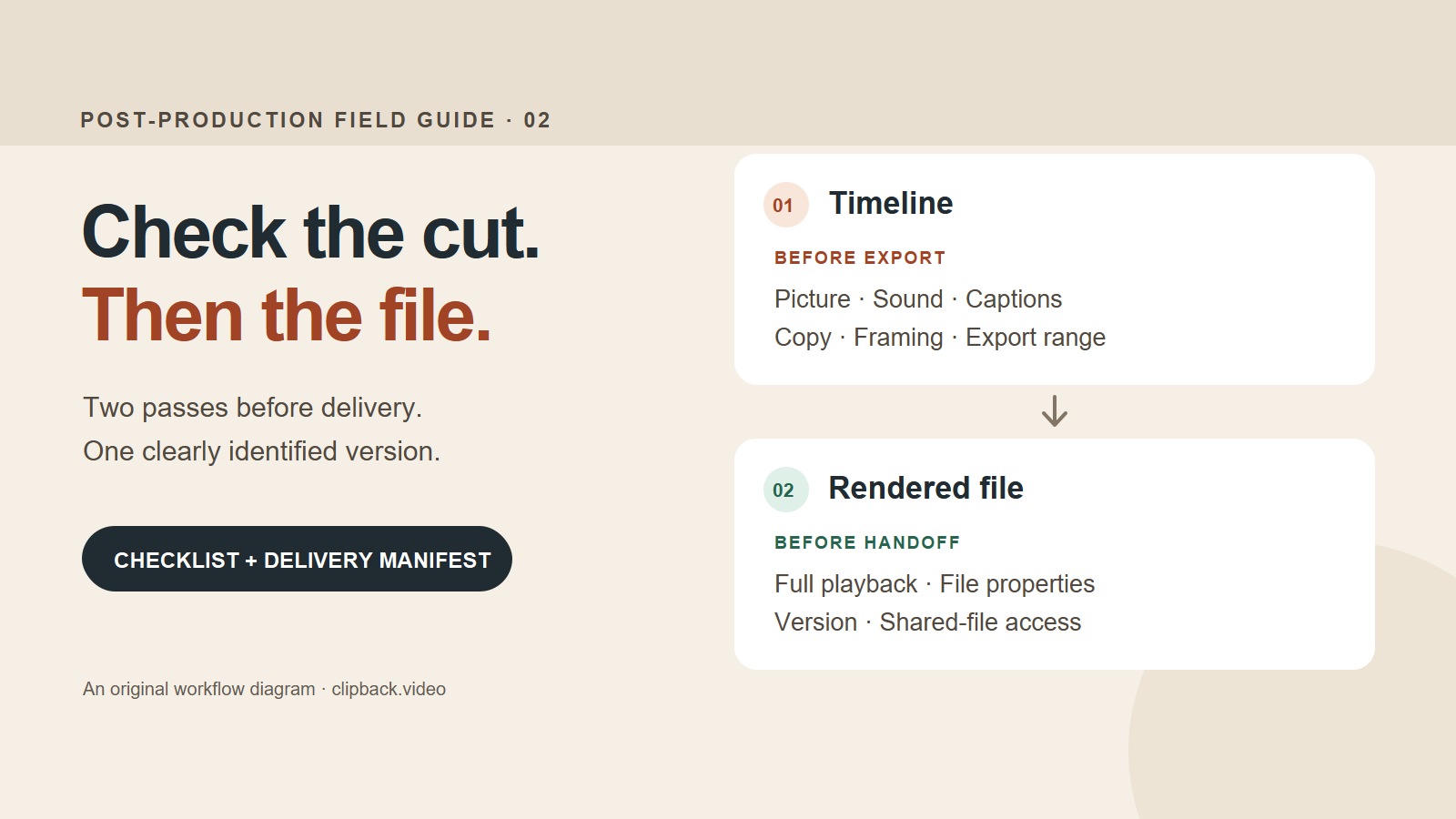
A useful video delivery checklist has two passes: check the edit before rendering, then check the actual rendered file before handing it over. The first catches problems in the sequence. The second checks what your client will receive.
For a freelance editor or a small team, this does not need to become an elaborate approval system. Write down the intended output, work through the checks in a consistent order, and leave a short record of which file passed. Here is a practical workflow you can adapt to your next project.
Download the video delivery checklist → Includes a plain-text delivery manifest. Free, with no signup.
Start with a delivery specification
“A high-quality MP4” leaves too much open. Before checking the timeline, list each output and the requirements it must meet. If the destination or format is unclear, resolve that question before treating any export as final.
- Purpose and placement: a client review, website upload, social placement, presentation, or another named destination.
- Picture: aspect ratio, frame dimensions, frame rate, duration, and any required color or codec specification.
- Sound and text: language, channel layout, required audio specification, and whether captions are separate files or part of the image.
- Content: the approved wording, logo, prices, dates, contact details, and call to action.
- Handoff: filename, version, recipient, delivery location, and who will check the uploaded result.
For example, a fictional bakery might need a landscape website video and a separate portrait social version. Give each one its own checklist entry. A correct landscape export does not establish that the portrait framing or text placement works.
Pass 1: check the timeline before export
1. Open the exact sequence you intend to deliver
Confirm the project version, sequence name, and export range. Check where the video begins and ends: intentional black or a held end card can be correct, but an accidental gap or a stray clip beyond the ending is not. If you use an in/out range, verify both points rather than assuming the whole sequence is selected.
Make sure the required media is online. Look for placeholders, temporary watermarks, missing fonts, offline graphics, disabled layers, and effects that have not finished rendering as intended. Identify unfinished items explicitly on a review cut; remove or complete them before calling a file ready for final delivery.
2. Watch picture and graphics with the brief beside you
Play the sequence from beginning to end. Then inspect the places most likely to hide a mistake: edits, transitions, speed changes, graphic entrances, and the first and last frames. Check that the right take appears and that framing still works in each deliverable's aspect ratio.
Read every title as text. Check names, spelling, dates, prices, web addresses, and contact details against the supplied copy. Do not rely on recognizing the design. In the bakery example, the picture can look finished while the end card still advertises the wrong Saturday opening time.
Preview the intended layout at a realistic viewing size. A line of small text that is comfortable on a large editing monitor may be hard to read on a phone. For a named placement, use its current placement guidance rather than applying an assumed universal safe area.
3. Listen deliberately
Do one listening pass without simultaneously checking spelling. Listen for clipped words, abrupt edits, unwanted background sound, missing music, and dialogue that is hard to follow. Confirm that silence is intentional and that no required track is muted. Check speech sync at the beginning and later in the video when it matters.
Confirm the requested audio channels and any specified loudness or peak limits. Use the relevant meters and delivery specification for those measurements. There is no single target to invent for every website, social platform, and broadcast handoff. Listening checks and measured compliance answer different questions; keep both when the job requires them.
4. Check captions in the form being delivered
Proofread names, numbers, punctuation, and timing against the audio. Captions should include speech and meaningful non-speech audio, synchronized with the video; that distinction is explained in the W3C WAI caption guidance. Do not treat an unchecked automatic transcript as finished captions.
If text is burned into the picture, check readability and placement in each output. If you are delivering a separate caption file, make sure it belongs to this exact cut and language, then test it with the exported video in a player or destination that supports it. A caption file from the previous edit may contain the right words at the wrong moments.
Check the export settings against the destination
Select the required output deliberately, even if a preset worked on the previous job. Compare the chosen container and codec, frame dimensions, frame rate, audio layout, and other specified settings with the delivery brief. Verify that the export range and intended finishing media are selected.
Adobe's video and audio export guide identifies the format and preset controls, video dimensions and frame rate, and audio settings to check. The names of the controls vary between editors; the delivery requirement should guide the choice.
Destination guidance is more useful than a generic “best export” recipe. For example, YouTube's official upload recommendations specify formats and frame-rate handling for that service. Use them for a YouTube deliverable, and check the actual recipient's requirements for a different destination. Do not assume that every requested output should have the same dimensions or frame rate.
If an unfamiliar effect, crop, caption treatment, or output setting is a concern, render a representative section first. It is a test of that section, not a replacement for checking the complete final file.
Pass 2: inspect the exported file
Open the file from its delivery folder in a separate player. Watch the whole thing, including the start and the tail, with sound. Confirm that the changes you just made are actually present. This catches the simple but consequential mistake of checking a clean timeline and then sending an older export.
- Picture: correct shots and framing, readable graphics, intended transitions, no unexpected black frames or missing elements.
- Sound: required channels present, dialogue understandable, expected music and effects, no unexpected silence or sync drift.
- Text: correct copy, working contact details checked separately, and captions matched to this version.
- File properties: expected duration, dimensions, frame rate, codec, and audio information, compared with the specification.
- Identity: the filename and version match the file you checked and the message you will send.
Checking metadata alone cannot establish that the edit is correct. Conversely, a successful playback does not prove that every delivery setting matches the brief. Use both checks. When possible, have a second person watch the export; in a solo workflow, make a separate pass with the checklist visible.
Test the handoff, then leave a delivery record
After uploading, open the actual shared file or destination playback. Confirm that the intended recipient can access it and that the correct version is present. If the destination processes video, wait until its intended playback version is available before judging that version. Where downloading is part of the handoff, test the download too.
Keep review exports clearly identified as review material. A compact name such as Bakery_Web_16x9_v03_review.mp4 tells a different story from Bakery_Web_16x9_v04_delivery.mp4. Your naming system can differ; the useful part is being able to identify exactly which file was checked and supplied.
Send a short manifest alongside the files. For the fictional bakery project, it could look like this:
DELIVERY MANIFEST — EXAMPLE
Project: Bakery launch
File: Bakery_Web_16x9_v04_delivery.mp4
Purpose: Website upload
Picture: 1920 × 1080 / 24 fps / 16:9
Sound: Stereo / specification agreed in delivery brief
Captions: Separate English caption file for v04
Change since v03: Corrected Saturday hours on end card
Full exported-file playback: Complete
Uploaded-file access and playback: Complete
Checked by / date: [name and actual check date]
Open issues: None recorded for this deliverable
This is an illustrative record, not a universal export preset or a claim that a real client project passed QC. Fill the template with the actual requirements and results. If a problem remains, record it instead of marking the check complete.
Save the checklist and blank delivery manifest for your next export. Keep the two passes separate, and repeat the relevant checks after a change or replacement export. The file you hand over should be the one you inspected.
Give your client one clear cut to review
Before final delivery, share an identified review export and keep the remaining notes attached to it. Try Clipback to collect timestamped client feedback in one place. Keep the export and delivery checks with your editing team.
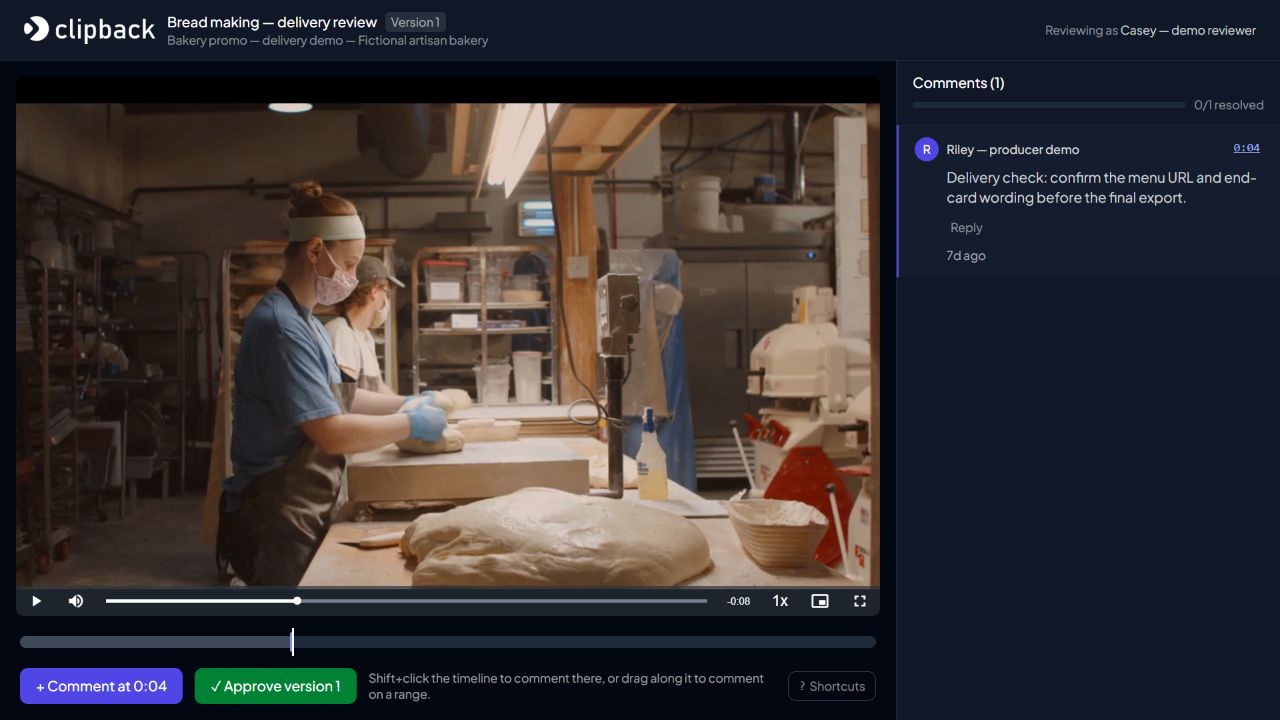
Technical references rechecked 8 November 2026. Diagram and checklist: Clipback. App screenshot captured 8 November 2026 using Women Making Bread by K / Pexels, under the Pexels License. The client and review note are fictional. No creator endorsement is implied.